FU88AI ChatbotWordPress plugin · v1.14

AI customer support that answers from your own website

Your website already has the answers. Your visitors just can’t find them. FU88AI Chatbot reads your pages, posts and WooCommerce products and answers around the clock. When the answer isn’t on your site, it says so and asks for contact details, or hands the chat to you.

US$79 US$149Launch price · one-time · 1 website

  • 10-minute setup
  • 11 chat languages
  • No coding
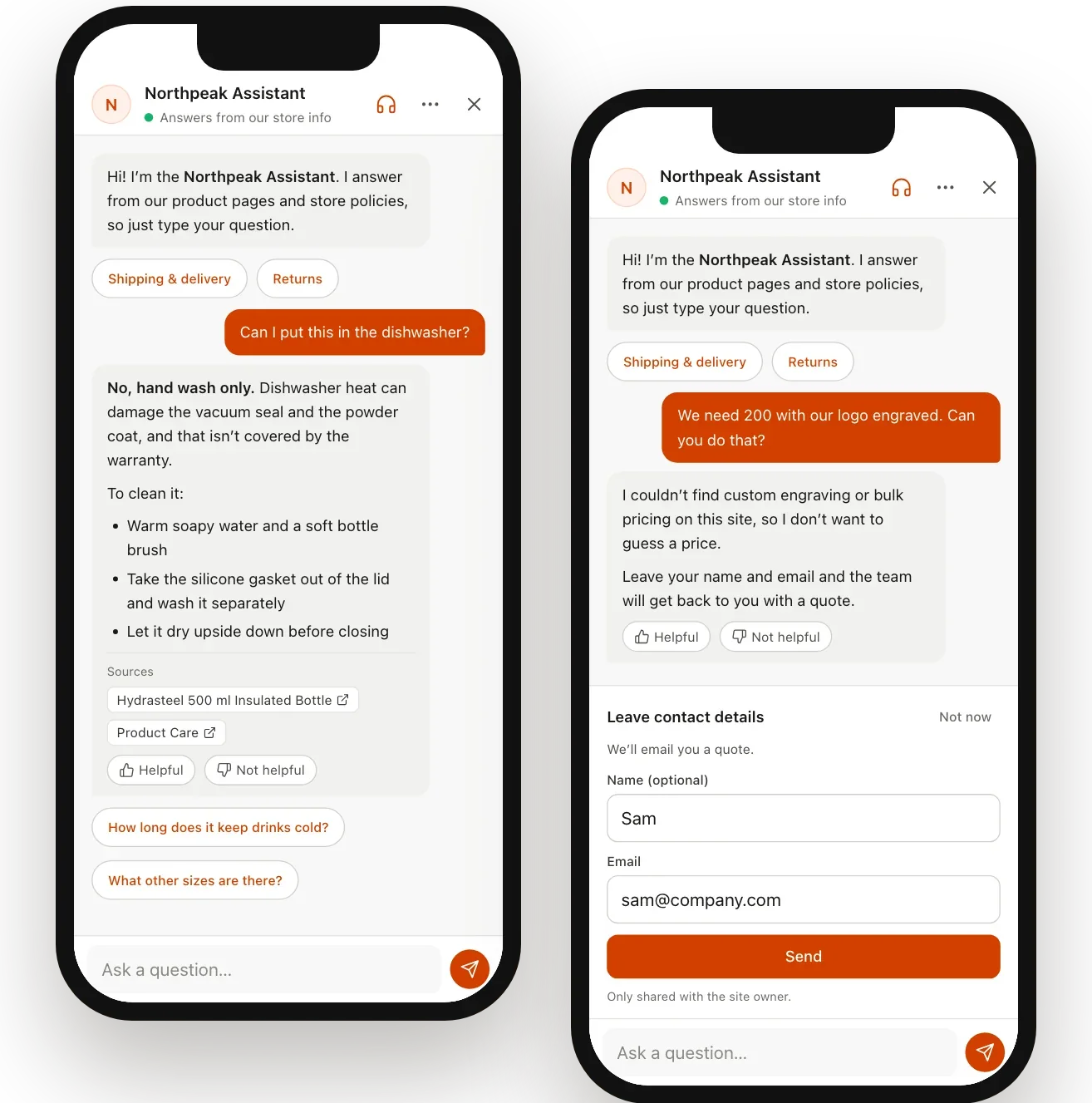
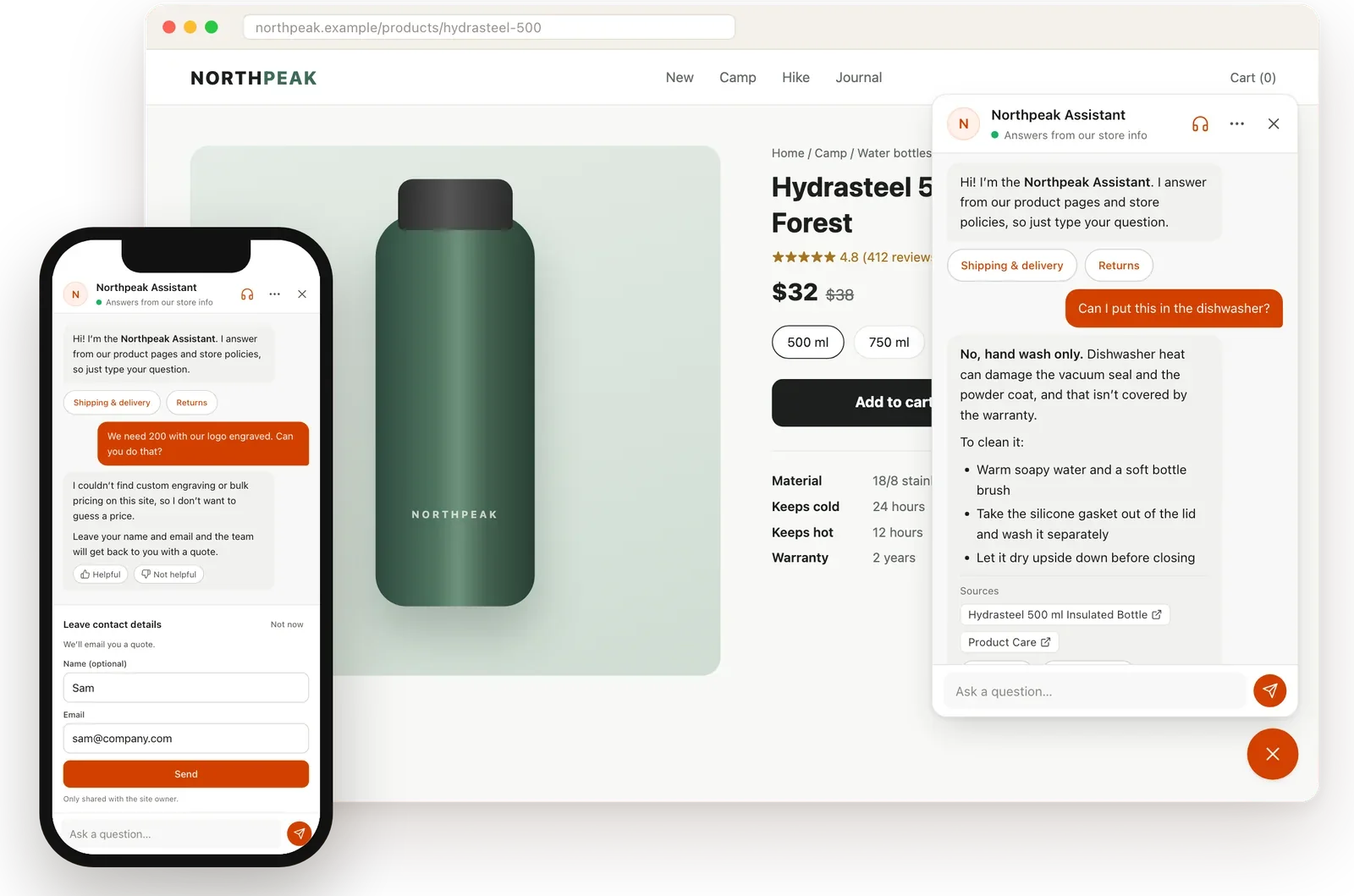
FU88AI Chatbot on a demo outdoor store: the chat answers a product question on desktop and asks for contact details on a phone

Built for

Sites where the same questions come in every day

Online stores

Specs, shipping, returns: the questions your team answers over and over.

Service businesses

Prices, opening hours and how to book, answered at 2 a.m. too.

Manufacturers and B2B catalogs

Thousands of model numbers, and customers who need the right one fast.

Blogs and content sites

Readers ask, and the answers come from what you’ve already written.

How it works

Everything a support assistant needs, nothing it shouldn’t do

Answers from your content

Ask anything, answered from your site

Posts, pages, WooCommerce products and custom post types sync into a knowledge base automatically and stay up to date when you edit them.

  • Every answer links to the pages it came from, so visitors can check
  • Suggested follow-ups and quick buttons keep the conversation moving
  • The AI replies in the visitor’s language
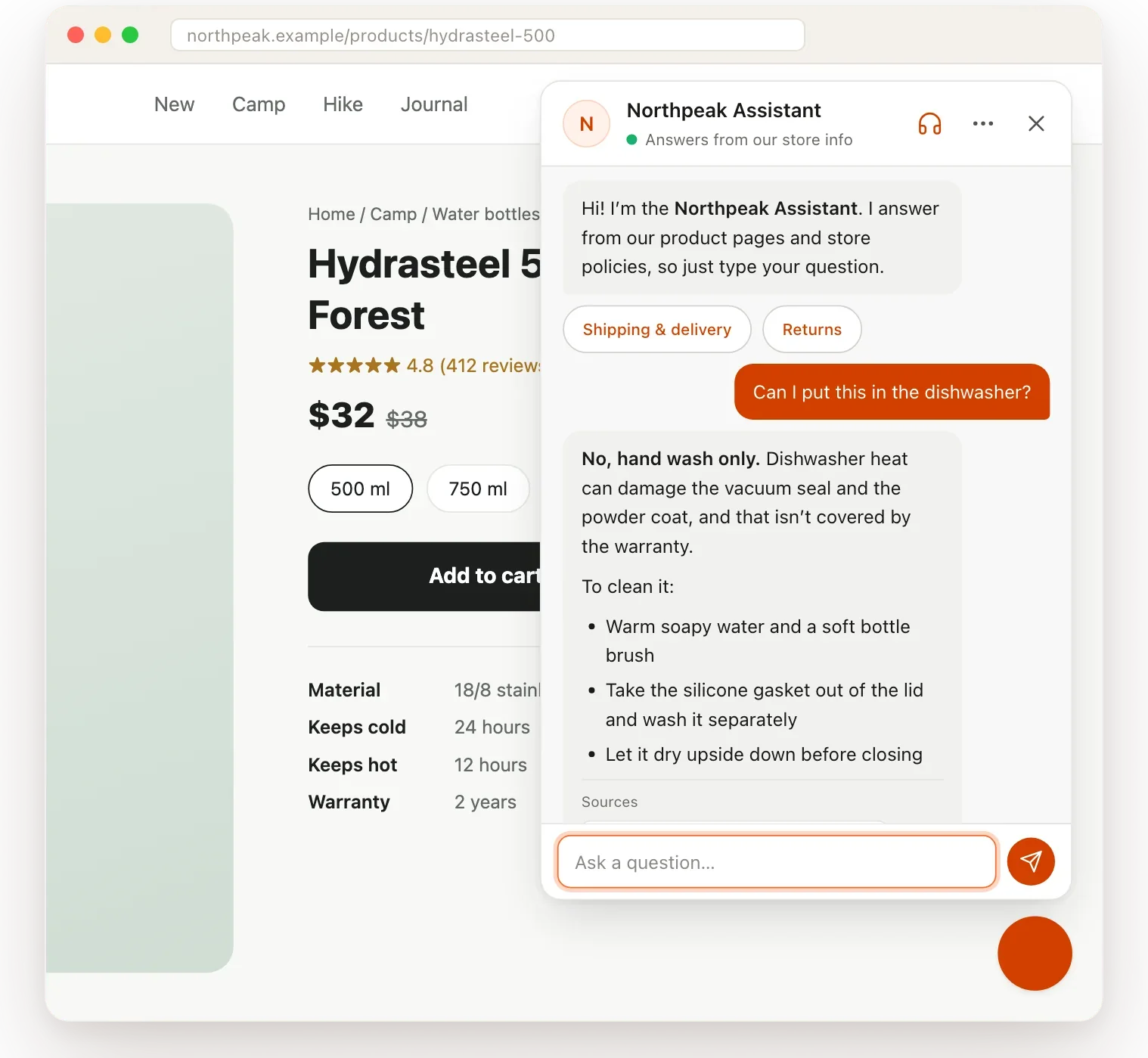
The chat answers “Can I put this in the dishwasher?” on a product page and lists the product page and care guide as sources

Honest by design

No answer? No made-up answer.

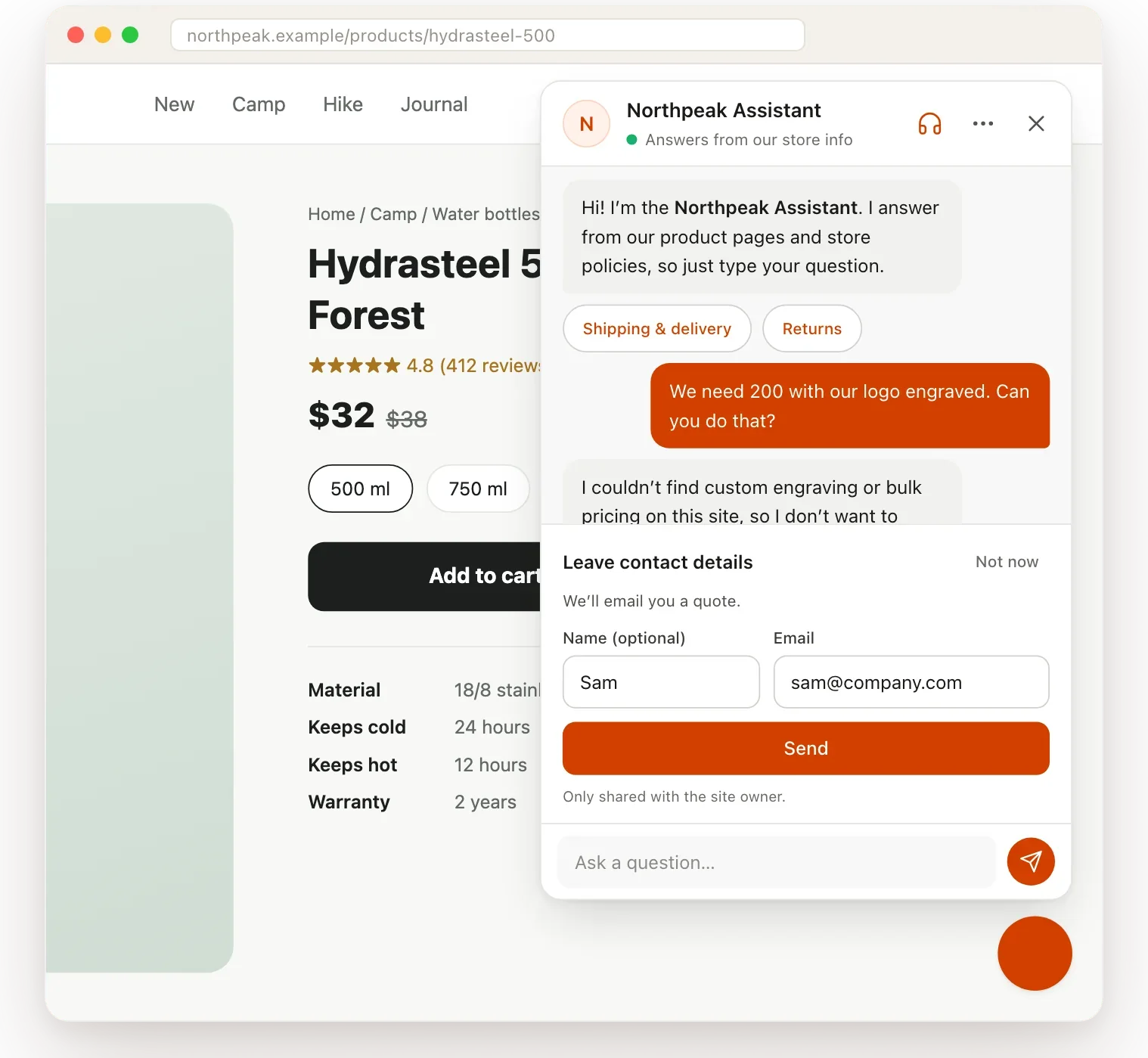
The worst thing an AI assistant can do is invent an answer. When FU88AI Chatbot can’t find something on your site, it doesn’t guess. It asks for the visitor’s name and email instead.

  • Leads go to your inbox, a webhook or a CSV export
  • Visitors can ask for a person and you reply live from the admin console
  • Outside your hours it switches to “leave a message”
On a phone, the chat says it couldn’t find bulk engraving prices on the site and shows a short contact form instead of guessing

Setup wizard

Live in about 10 minutes

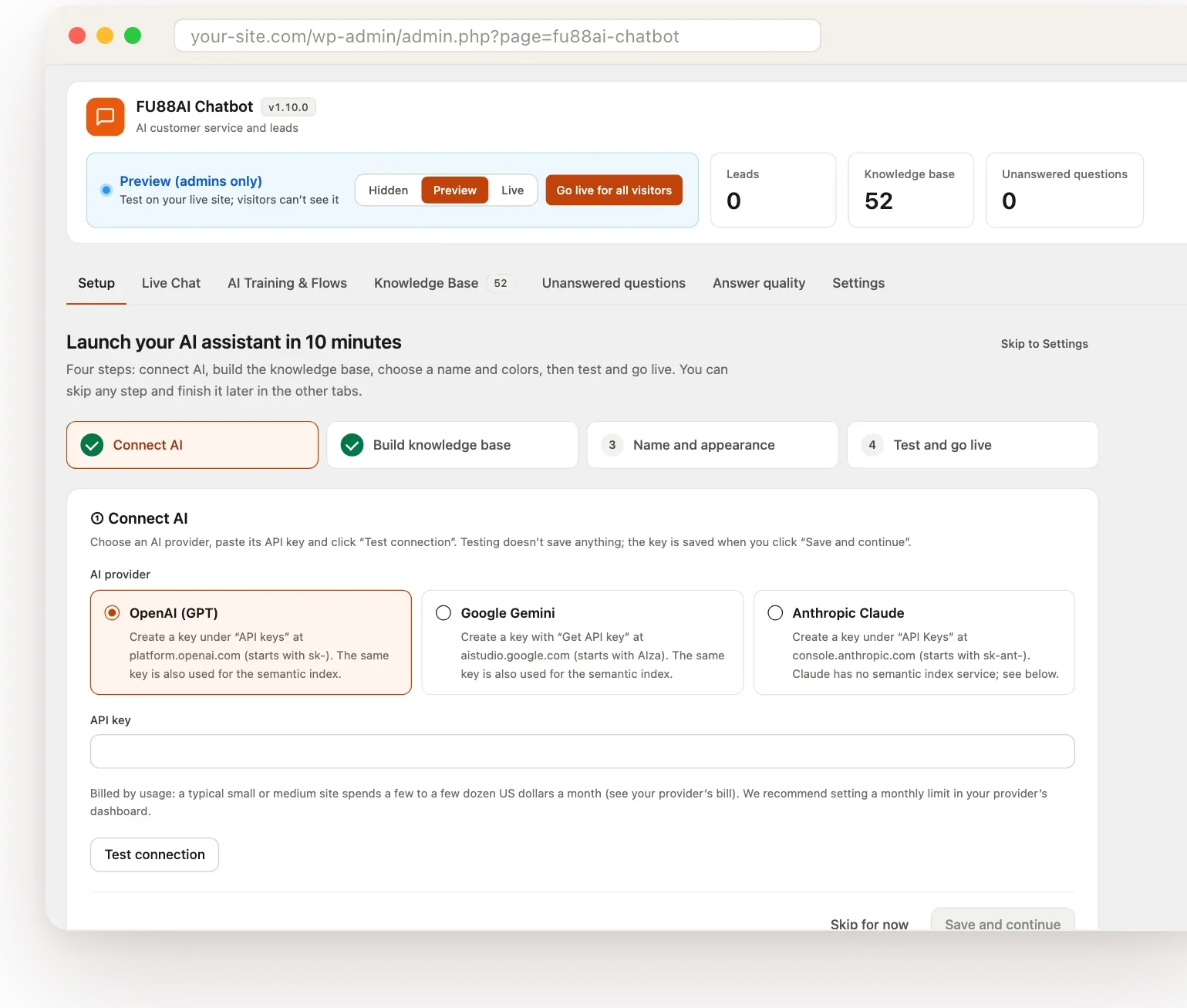
Four steps: connect your AI provider and test the key, sync your site in one click, pick a name and brand color, then try it in preview mode, where only admins see the chat, before you go live.

  • One brand color generates an accessible palette
  • Preview mode lets you test on your live site
  • Works with LiteSpeed Cache, WP Rocket and other page caches
The four-step setup wizard in the WordPress admin, on the Connect AI step with OpenAI, Google Gemini and Anthropic Claude to choose from

Fast on big catalogs

Model numbers matched exactly, even at 50,000 chunks

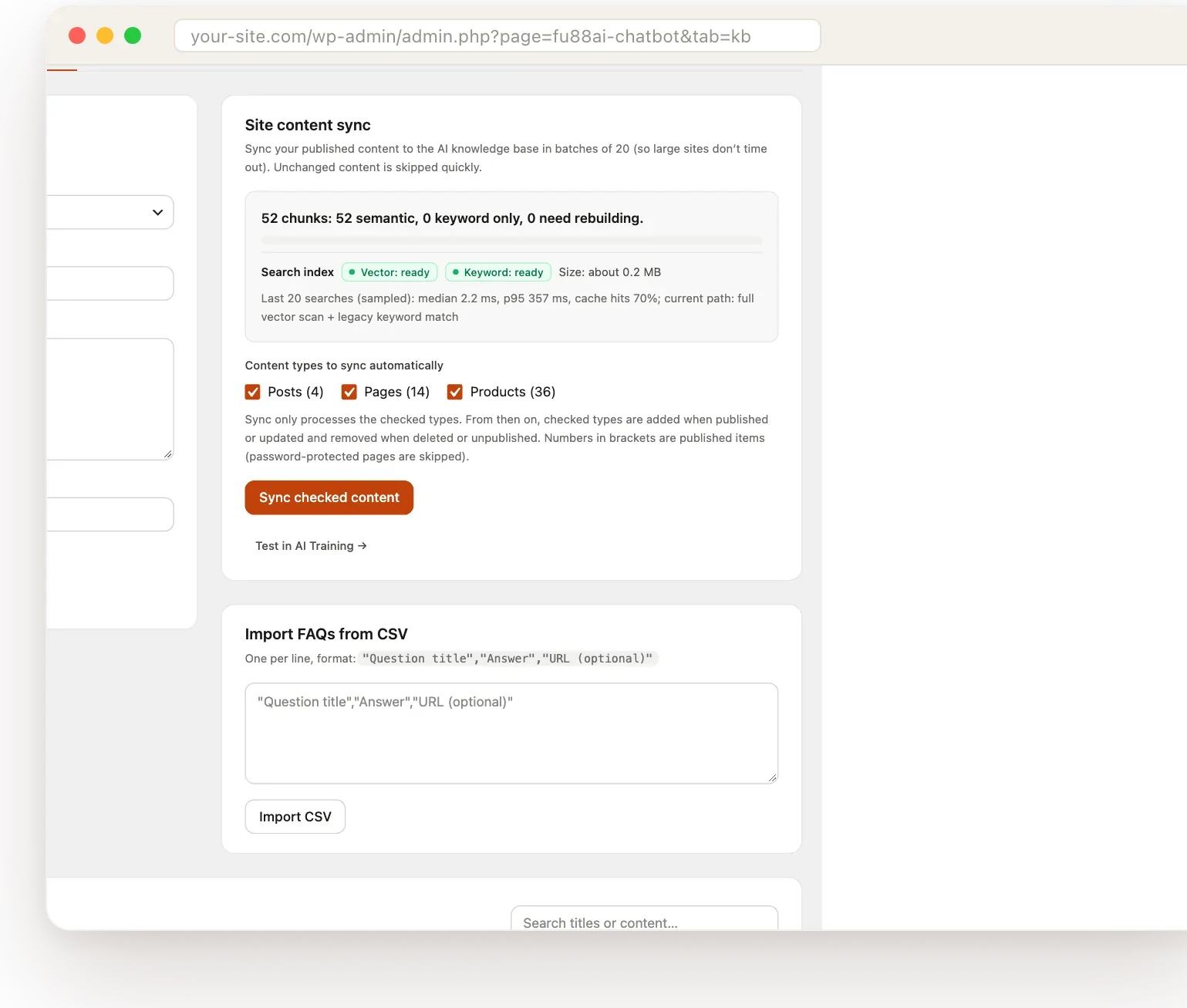
We measured about 0.3 seconds per search on 50,000 chunks of content. Model numbers and specs are matched exactly, and synonyms map your visitors’ words to yours: someone asking for “sneakers” finds the products you call “trainers”.

  • Keyword and semantic search combined
  • The plugin suggests synonyms from your own content
  • Content syncs in the background as you publish
The knowledge base screen showing site content sync status and the search index

Answer-quality test

Accuracy you can measure

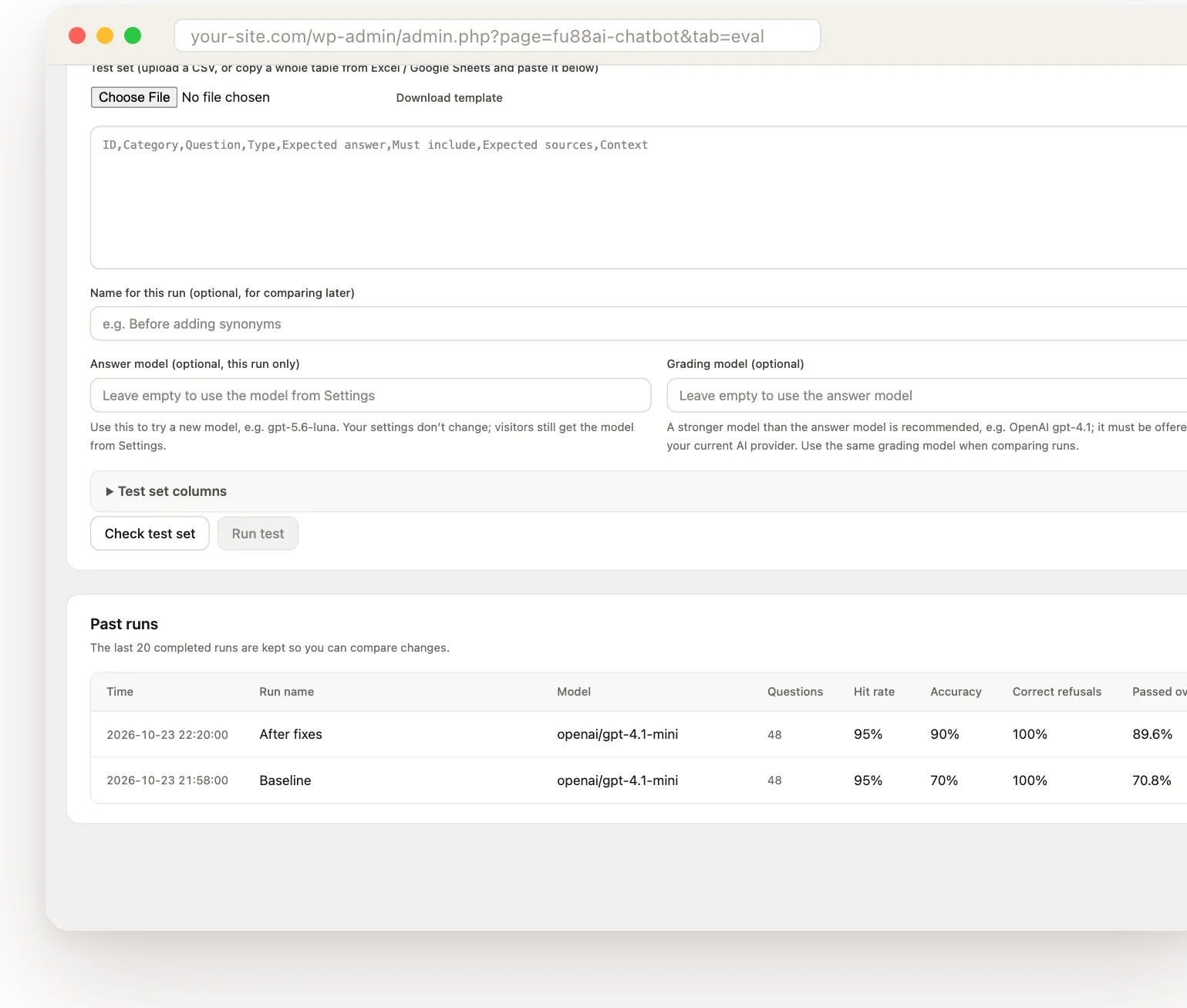
The built-in test runs a whole question set at once and scores accuracy, whether the right pages were found, and whether the assistant promised anything it shouldn’t. Re-run it after every change and compare runs side by side.

  • Unanswered questions are listed so you know what content to add
  • Compare before and after a change
  • Use your own questions, or start from the template
The Answer quality screen with two past runs compared, showing hit rate, accuracy and pass rate

Mobile

Made for phones

On phones the chat opens full screen and the keyboard never covers the input. Tested on iPhone Safari and in-app browsers like Instagram and LINE.

  • 44 px tap targets and 16 px inputs, so iPhone never zooms in
  • Lead form and live chat work on mobile too
  • Respects reduced-motion settings
Two phones showing the chat: one answering a product question, one showing the contact form

Also worth knowing

The details that save you support tickets

Your choice of AI

OpenAI (recommended), Google Gemini or Anthropic Claude. Semantic search needs an OpenAI or Gemini key; Claude works with keyword search.

11 languages

English, German, French, Spanish, Italian, Dutch, Portuguese, Japanese, Korean and Simplified or Traditional Chinese. Polylang and WPML pages use each page’s language.

Privacy-minded

Supports WordPress personal-data export and erasure. API keys are stored encrypted, and leads and logs stay on your own site.

Keeps working when the AI doesn’t

If your AI provider is down or your key runs out of credit, the chat shows the most relevant excerpt from your site or asks for contact details.

Works with page caching

LiteSpeed Cache, WP Rocket and other page caches don’t break the chat.

Add-ons

Run a WooCommerce store? WooCommerce Pro adds order lookup and product cards.

Pricing

One payment. Yours to keep.

Pick how many websites you need. Moving a site to a new host or reinstalling doesn’t count as another site.

1 website

For your own business site.

US$79 US$149

Launch price · one-time payment

Choose 1 website

5 websites

For a few sites of your own, or a small agency’s clients.

US$129 US$199

Launch price · one-time payment

Choose 5 websites

Unlimited websites

For agencies and freelancers who install it on client sites.

US$329 US$399

Launch price · one-time payment

Choose Unlimited websites

Every plan includes

  • The plugin and a license key
  • Every 1.x update, one click from the Plugins screen
  • Email support for installation problems and bugs
  • Secure checkout by Gumroad

Requirements

What you need

  • WordPress 6.0+ and PHP 7.4+
  • Your own API key from OpenAI, Google Gemini or Anthropic Claude. Usage is billed by the provider; a typical small or medium site spends a few to a few dozen US dollars a month
  • Semantic search needs an OpenAI or Gemini key (Claude works with keyword search)

What you get

In your Gumroad library

  • The plugin zip: install it under Plugins → Add New Plugin → Upload Plugin
  • A license key for your plan: enter it under FU88AI Chatbot → Settings → License & updates
  • Every 1.x update with no expiry. A future 2.0 will be a paid upgrade
  • Email support at [email protected]

FAQ

Questions about FU88AI Chatbot

More in Support.

Is this a subscription?

No. You pay once and keep the plugin. All 1.x updates are included.

How many sites can I use it on?

Choose 1 website, 5 websites or unlimited at checkout. Reinstalling or moving a site to a new host doesn’t count as another site.

Can I use it on client sites?

Yes. Pick 5 websites or Unlimited websites. Each site uses its own AI API key, yours or your client’s.

Do I need to code?

No. Everything is set up in the WordPress admin, and the wizard walks you through it.

What does support cover?

Help getting the plugin installed and running, and fixes for bugs. Custom development, writing your site content and AI provider billing aren’t included.

What happens if the AI provider is down or my key runs out of credit?

The chat keeps working without the AI: it shows the most relevant excerpt from your site, or, if there isn’t one, asks the visitor to leave contact details.

Does it send my data to FU88AI?

No. Chats, leads and logs stay in your WordPress database, and messages go only to the AI provider you choose. Apart from that, the plugin only goes online to check your license with Gumroad and to look for updates.

Give your visitors answers tonight

From US$79 for one website, one-time. Every 1.x update included.